Where is OCAT's Shadow feature, and how do I use it?
When you save sentences in OCAT, listening to them is helpful. But if you want those sentences to become something you can actually say, you need to let your ears, mouth, and brain get used to them together. That is what Shadow is for: listen to one sentence, speak along with it, record yourself when useful, and review a little each day.
Where to find it
Open your Collections screen and look at the bottom right. Tap the Shadow button to enter shadowing mode.
If the current collection has sentences worth practising today, a small dot appears beside the Shadow button. It is a gentle reminder that this collection is ready for today's practice.
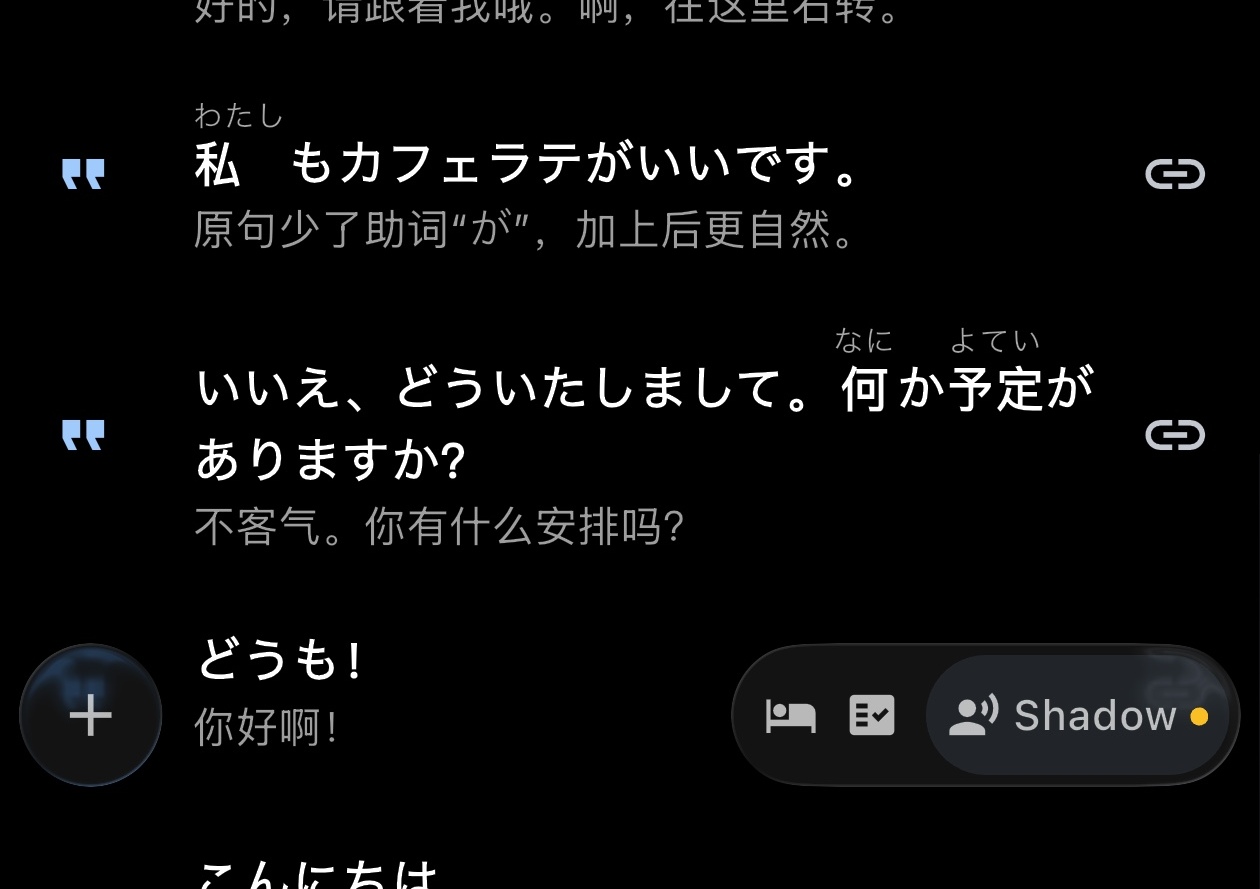
What happens after you turn it on
After entering Shadow mode, OCAT reorganizes the collection for practice. You will see Today's review, and each sentence shows progress like 0/2 or 1/2.
The first number is how many times you have practised that sentence today. The second number is the suggested target for today. For example, 0/2 means OCAT suggests two shadowing rounds today, and none has been recorded yet.
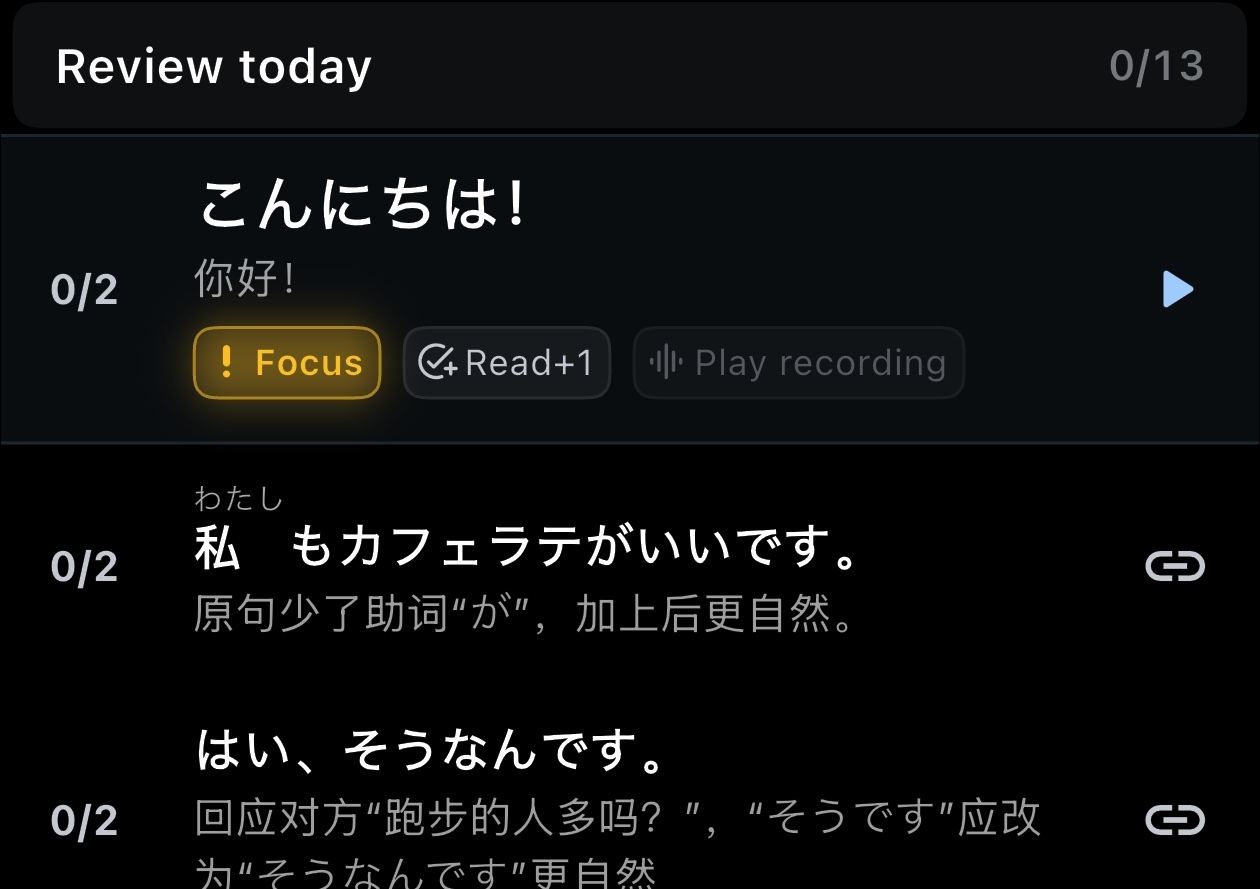
OCAT does not start playing automatically. It first focuses the sentence that is most suitable to practise now, so you can decide when to listen, speak, or record.
A simple practice flow
- Listen to one sentence: tap the focused sentence or its play button.
- Speak along: imitate the pronunciation, rhythm, pauses, and tone.
- Record when you want comparison: after playback, tap the microphone, read the sentence, then stop. OCAT saves the latest recording and counts one practice.
- Skip recording when needed: tap Read+1 to count one spoken round manually.
- Listen back: after recording, Play recording lets you hear your own voice.
- Move on: when the suggested count is done, continue practising or go to the next sentence.
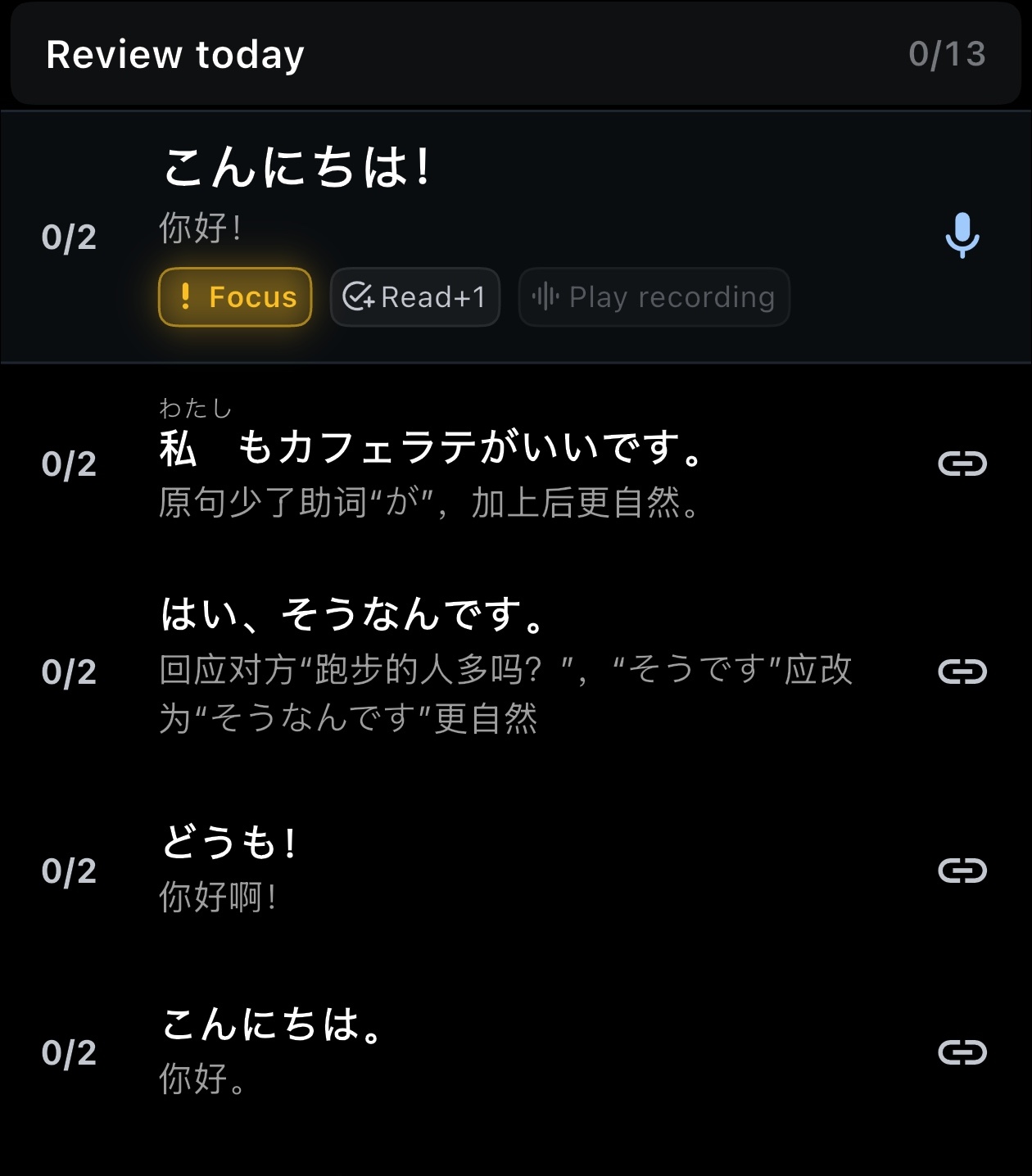
The point is not to add pressure. OCAT tries to make the loop easy: hear one sentence, say one sentence, compare only when helpful. A few focused sentences every day are usually easier to keep up than a large session once in a while.
What the small dots mean
The small dots in the collection list are lightweight return reminders. When a collection has shadowing practice due, a dot appears next to that collection. After you practise it, or mark it as handled from the list, the reminder is cleared for the day.
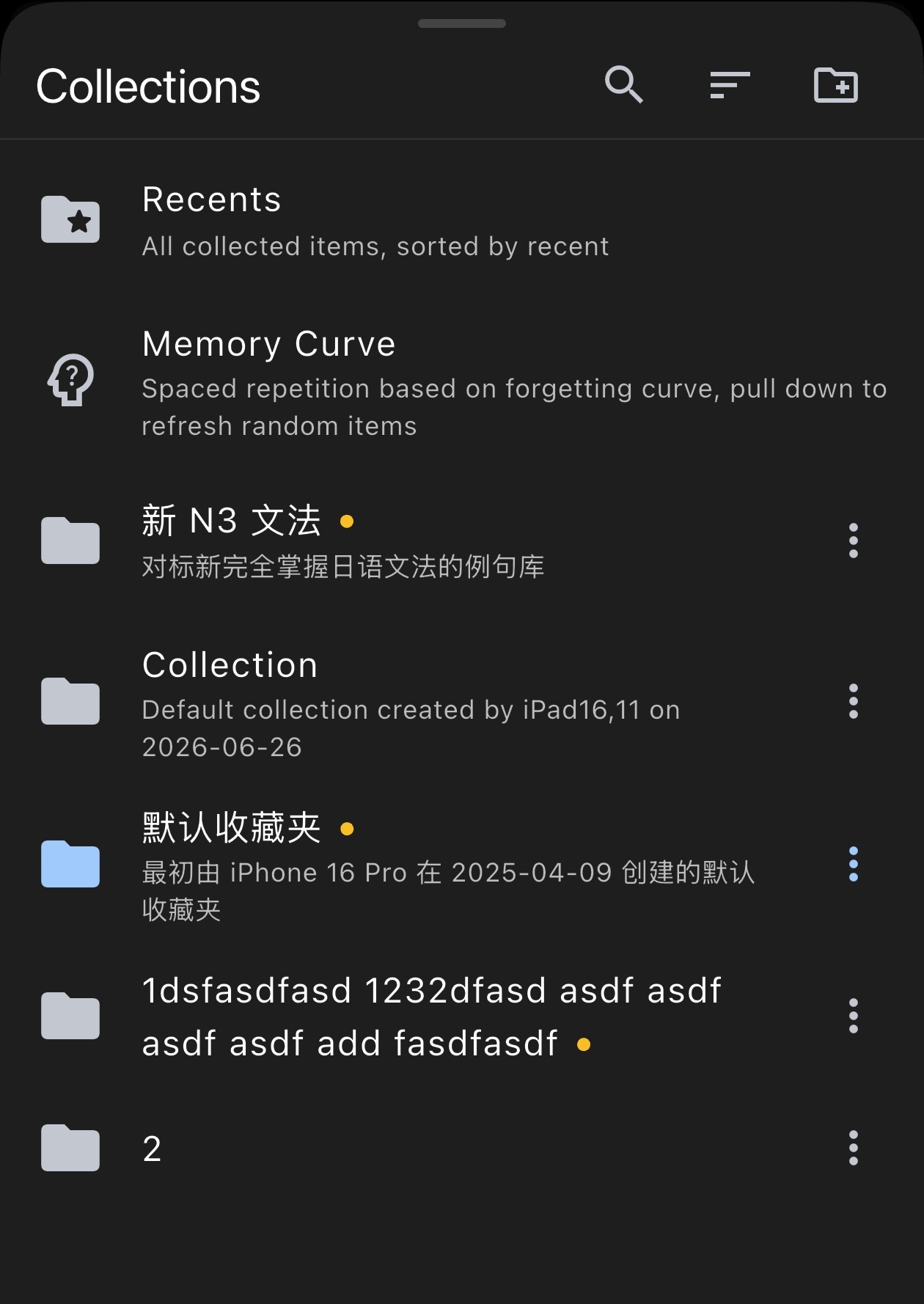
It is not another task list. It simply says: "This collection is worth coming back to today." Once you enter Shadow mode, OCAT decides which sentences to surface first based on the collection and your recent practice.
Where to see your progress
In Settings → Account, you can see your Shadow stats, including your streak, total shadowing days, and total practice count.
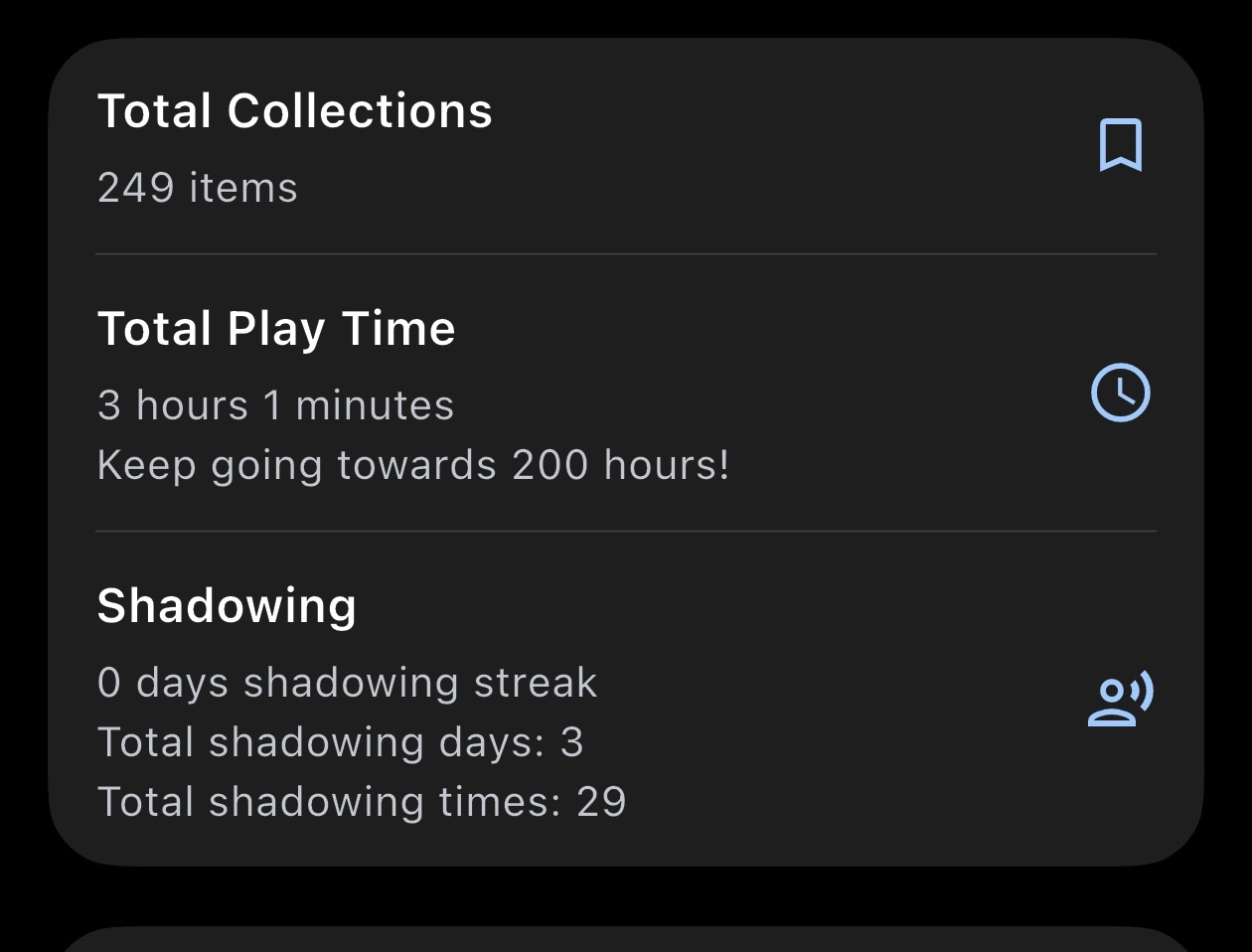
These numbers are there to make your accumulated effort visible. Start from the Shadow button, spend a few minutes a day, and let the sentences in your collection gradually become part of your own voice.